UoN Office of Career Services (OCS)

Welcome and Registration of First Years to the UoN Catholic Student Community

The UoN Catholic Chaplaincy had organized a whole program of varied activities for the year 2020. But as it is for all sectors of society, the activities were as well interrupted owing to the covid-19 pandemic. That notwithstanding, the Catholic Chaplaincy has tried the very best to keep in touch with as many students as possible through various social media platforms as follows

Activities.

The Catholic chaplaincy Streams live Holy Masses daily at 7.00 am and Sunday Mass at 10.00am. Having shared the link with the students, very many of them follow this for continued spiritual nourishment which is the epitome of the Chaplaincy. This is done from St. Paul’s Chapel.

Besides Mass, the Catholic chaplaincy holds zoom meetings where we discuss various issues that affect our young people. The meetings are organized for various devotional groups. Technically there is a meeting daily in the evening starting at 7.00 pm to 8.00 pm. Most of these the students hold by themselves and if there would be questions needing the address of the chaplain, we organize a joint one.

For the sake of the needy students, the Catholic Chaplaincy has since the start of the pandemic managed to buy two Laptops and one smartphone and given them to three needy students. The Chaplain fundraised from personal friends as well as his own contribution to achieve this.

Once in a while few students have managed to visit the Catholic chaplaincy offices with various issues and we have assisted them accordingly and within what we could afford.

Most of these activities are continuous and definitely it is hope that the pandemic may come to an end sometime soon for normal fellowship with fellow staff and students. The Catholic chaplaincy believes the contact with very many students and indeed staff through Whattsap groups has had tremendous impact, particularly in sharing messages of hope and encouraging each other to keep safe.

The Catholic Chaplaincy remains committed to the values that God has called us to live and will always remain standing by the promises of God that he will deliver us from Covid 19.

First Year students reporting on August 31, 2020 are invited to register with the UoN Catholic Community on the link below.

https://docs.google.com/forms/d/e/1FAIpQLSfaPjjNOpcBUZZZTthJ977y69egTJdeNgkyJLFRoVdNvj7FRg/viewform?usp=pp_url

Financial Aid Office supporting needy students at UoN

Owing to the high demand for higher education the government of Kenya was forced to introduce cost sharing in higher education in the early 1991/1992 academic year, so as to allow the public purse to cater to health, infrastructure, primary education and eradicate poverty. The cost-sharing policy that was implemented in all public universities in Kenya. The policy advocates that costs of higher education should be shared between the government, parents, students and/or donor organizations. It was a radical policy change from “the state-centered model” of financing universities to “the market competitive model” that was necessitated by the economic recession in the country in the 1980s.

The University management saw the need to create the Office of the Special Student Advisor (the office has been renamed as Financial Aid Office) to ensure that needy students do not fail to pursue their academic studies due to lack of finances or other challenges and it was immediately established. The mission is to provide to needy students an enabling environment and safety net though advisory, counseling and guidance services. Our vision is to support students to achieve their academic goals and aspirations. And our core values are confidentiality, empathy, professionalism, quality customer service, strong social responsibility, teamwork and tolerance.

The office is involved in the following activities;

  1. Liaise with the relevant educational authorities on behalf of the students.
  2. To act as a bridge between students and the university administration.
  3. To provide proficient advisory and counselling services to current and prospective students.
  4. To source for financial assistance for needy students.

STAKEHOLDERS.

The stakeholders are;

  1. Students.
  2. University staff.
  3. Parents.
  4. Donors.
  5. University colleges.
  6. Higher Education Loans Board.
  7. Daisy Eye Cancer Fund.
  8. Rattansi Educational Trust
  9. Southface Organisation of Spain.
  10. Embassy of the Peoples Republic of China.
  11. Pathways Organisation.
  12. University Academic Staff Union, UON Chapter.
  13. Kenya University Staff Union, UoN Chapter.
  14. Alumni Association.
  15. Rotary Club of Nairobi.

APPLICATIONS

The office registers regular needy students who thereby qualify for bursaries, work study programme, scholarship and other assistance. The procedure for registration starts with the students being introduced to the office by the Special Student Advisor during the Orientation Week. Others are referred to the office by university staff or the general public. At the office or through the office website, they get details about the required information and procedure for registration. In particular, they have to write application letters detailing their family backgrounds and financial status.

The application letters are then vetted by the Special Student Advisor for due processing. Complete applications are then issued with serial numbers and the same communicated to the students through the e-mail. Following on this, two letters are then dispatched to their referees (local assistant chief/chief and religious person) seeking confirmation of the applicants family backgrounds.  The applications and the reference letters are then filed.

ALLOCATION OF FINANCIAL ASSISTANCE

  1. Bursaries

Once favorable reference letters are received, a student is allocated a bursary according to the following;

  • A student with two peasant parents/low cadre employee            Sh. 4,000
  • One with a single mother                                                            Sh. 6,000
  • An orphan                                                                                   Sh. 8,000
  1. Work Study Program

Those students who prefer to enroll in the go to Work Study Programme instead of getting a bursary are recommended to the departments where there are vacant positions.

  1. Scholarships

Once donors confirm their willingness to sponsor students, scholarships are advertised.  And in this case, the main criterion is good academic performance besides being needy and fully registered in the office. Moreover, applications are initially assessed by the office before being forwarded to the prospective donor for the final decision.

  1. Special Cases

In some instances, students face acute financial problems due to theft of their personal effects or calamities befalling their families. Such students are awarded special grants depending on the prevailing circumstances.

OUR DONORS

The office received donations from ten donors. And the biggest contributors are the Rattansi Educational Trust, University of Nairobi Alumni Association, University of Nairobi (Needy Students Fund) and the Chinese Embassy.

Others are The South face Organization, College of Humanities And Social Sciences, College of Education And External Studies, Rotary Club of Nairobi, University Academic Staff Union and the Kenya University Staff Union.

COUNSELLING AND GUIDANCE

Over the years, some students have faced academic, family, medical and social problems. In such incidents, the office has undertaken to intercede for them. For example, orphans have been assisted to access fund from the Public Trustee or where parents have refused to support their offspring, it has been necessary to seek the assistance of lawyers free of charge.


Frequently Asked Questions about admission at UoN-Very helpful to First Year students joining on 31st August 2020

FREQUENTLY ASKED QUESTIONS

TITLE QUESTION ANSWER
9 How do I get my admission letter 1. Go to the students portal.

2. Use your registration number as your user Name, then your password is your KCSE index number.


7 Do you certify academic credentials 1.  Yes it is done at Examinations Centre at a fee of Kshs. 200/- per page
13 What Do I do next after I receive a Letter of offer to study at the University?
  • The first thing you need to do is access the University of Nairobi Student Management Information System (SMIS Portal) to generate a Registration Number.
  • To Access SMIS portal click HERE or visit https://smis.uonbi.ac.ke/

The SMIS portal will allow you to:

  1. Access your admission Letter
  2. Access your joining instructions
  3. Register as a Student by creating a student profile
  4. Pay your Fees
  5. Create your student email and Active Directory
  6. Register for courses and access timetable
  7. Apply for student accommodation
14 How do I get a Registration Number?
  • Access the students’ portal. https://smis.uonbi.ac.ke/
  • Scroll to the bottom of the page to the SMIS Allocated Registration No. section
  • In the box provided, Enter Application Ref. No as it appears in your Letter of Offer  to get your allocated Student Registration No 
  • Click on Get Allocated Students number
15 How do I log in to the students’ portal (SMIS)?
  • Access the students’ portal. https://smis.uonbi.ac.ke/
  • Log in using the Registration Number. The year of registration must be in full eg ../2020

Enter your Registration Number in full as received in the “Registration Number” box provided

Password: you can either use: National ID / Passport No. or KCSE Index No. or Registered Mobile No. as your initial password

Incase you forget your password; use the “Forgot your password? To reset your SMIS password

16 How do I upload required documents on the students Portal? Ensure you have all the documents listed on the checklist shared with you on email or visit https://uonbi.ac.ke/registration  to see the full list of all required documents.

Scan all the documents (documents should be in PDF format)

Take a passport photo (jpeg Format)

  • Log in to the Students Portal: smis.uonbi.ac.ke
  • Click on “To Begin the Process-Click here to register”
  • Upload the documents as guided “Please upload the Following documents”

*Please ensure that your scanned documents are clear and legible. They should also in the indicated allowed format (PDF,  JPG)

  • Click on Upload Document

You will get a notification once your documents have been assessed and approved. Incase a document is not approved; you will be notified to re-upload

17 How do I get in touch with you Incase I need assistance? Academic Registrar 020 4913199/3027/3196/3067/3065

Graduate School 0204913128/3129/8030/8032

Customer Experience Centre contacts: 0204910000, 0204914112 | customercare@uonbi.ac.ke,

SERVICE EMAIL ADDRESS:

Undergraduate Admissions: admissions@uonbi.ac.ke | Graduate Admissions: gs@uonbi.ac.ke

UoN Turns 50: A time to take a glimpse at the past

It is a time to celebrate. The University of Nairobi marks 50 years since it was transformed into the first national University in Kenya on July 1, 1970.

The University of Nairobi owes its origin to several developments in higher education within the country and the region. The idea of an institution for higher learning in Kenya goes back to 1947 when the Kenya Government drew up a plan for the establishment of a technical and commercial institute in Nairobi.

By 1949, this plan had grown into an East African concept aimed at providing higher technical education for the region.

In September 1951, a Royal Charter was issued to the Royal Technical College of East Africa and the foundation stone of the college was laid in April 1952.

During the same period, the Asian Community of East Africa was also planning to build a College for Arts, Science and Commerce as a living memorial to Mahatma Gandhi. To avoid duplication of efforts, Gandhi Memorial Academy Society agreed to merge interests with those of the East African Governments. Thus, the Gandhi Memorial Academy was incorporated into the Royal Technical College of East Africa in April 1954, and the college proceeded to open its doors to the first intake of students in April 1956.

Soon after the arrival of students at the college, the pattern of higher education in East Africa came under scrutiny. Through the recommendation of a working party formed in 1958, chaired by the Vice-Chancellor of the University of London, Sir John Lockwood, the Royal Technical College of East Africa was transformed. On June 25, 1961, the College became the second University College in East Africa, under the name Royal College Nairobi.

The Royal College Nairobi was renamed University College, Nairobi on May 20, 1964. On the attainment of “University College” status, the institution prepared students for bachelor’s degrees awarded by the University of London, while also continuing to offer college diploma programmes. The University College Nairobi provided educational opportunities in this capacity until 1966 when it began preparing students exclusively for degrees of the University of East Africa, with the exception of the Department of Domestic Science.

With effect from July 1, 1970, the University of East Africa was dissolved and the three East African countries set up their national Universities. This development saw the birth of the University of Nairobi set up by an Act of Parliament.

Since 1970, the University of Nairobi has seen many innovations, which have contributed to its development and that of the nation. It has grown from a faculty based university serving a student population of 2,768 to a college focused university serving over 84,000, currently.

Chandaria Foundation Scholarships

Do you know a needy bright student who is in year 1,2 or 3 pursuing a Bsc in IT ,Medicine and Engineering from a public university?
Please ask them to apply for the Chandaria Foundation Scholarship for the year 2020/2021
Requirements:
1.Must be Government sponsored students (I.e placement done by KUCCPS)
2. Scholarship request letter clearly indicating the need for help – addressed to Chandaria Foundation
3. University admission letter together with the fee structure
4.KCSE result slip for student awaiting to join the university and for the continuing students an academic progress report.
5.All documents to be sent to accountsckl@comcraft.com on or before 25th  August 2020.

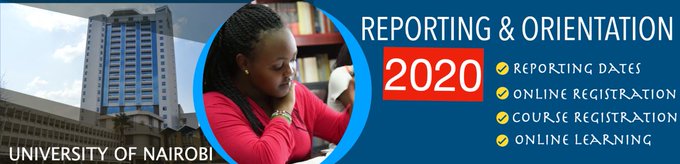
Virtual Orientation and Online Classes for First Years joining on 31st August 2020

 Virtual Orientation – August 31 to September 6th , 2020

Students will be taken trough the following steps to join training and class sessions:

Step 1 – Video Conference Etiquette (Before and after joining class)
Step 2 – How to join Google Meet class via phone or computer
Step 3 – Key Google Meet features

Steps before Online Classes – 7th September 2020

Beginning 7th September 2020 and continuing, students will receive information on training on online platforms like Google Class and E-Class.
Step 1 – Ensure you have the appropriate electronic gadget eg. smart phone, tablet, iPad or laptop(Attached find specifications of computers)
Step 2 – Register for the Online Training
Step 3 – Download the Training Schedule
Step 4 – Access the Training link
Step 5 – Log in and join the training

Note:
Online Training is Mandatory to enable you to undertake your online learning and examinations during the Covid 19 pandemic.

Steps towards Online Classes – 14th September 2020
We hope that these online updates will answer your questions and through this transition.

Step 1 – Confirm Registration of Courses
Step 2 – Download Class Timetables
Step 3 – Access the links to the classes
Step 4 – Access Library Resources
Step 5 – Join the classes to be able to account for class attendance
Step 6 – Report to your Dean/Director any issue related to online learning that you may require assistance.

Note:
Ensure you attend all prescribed classes, take all assignments, continuous assessment tests and examinations.


HELP DESK
There will be a help desk set up at every registration point for assistance. The Admissions office will however serve as the central help desk.
Tel. contacts: Academic Registrar 0204913199/3027/3196/3067/3065
Graduate School 0204913128/3129/8030/8032
Customer Experience Centre contacts: 0204910000, 0204914112

Invest in Youth and unlock unlimited potential

  • Africa’s youth population is growing rapidly and is expected to reach over 830 million by 2050. Whether this spells promise or peril depends on how the continent manages its “youth bulge”.
  • Investing in young people especially so that they are prepared for the world of work is the main mission of Generation Unlimited (GenU), a global multi-sector partnership established to meet the urgent need for expanded education, training and employment opportunities for young people aged 10 to 24.

(Nation Beta)

On August 5, Kenya launched the Generation Unlimited initiative. The initiative brings together actors from development partners, public and private sectors to promote education, training and creating job opportunities for the youth to enable them fully realize their potential.

The median age for Kenyan youth is 18 and three quarters under 35 years making Kenya have one of the youngest populations in the world. this young population has a big potential to contribute heavily into Kenya’s economic growth.

By investing in the talents, ideas, entrepreneurial spirit and skills of the youth, it will be a great opportunity for the change, transformation and growth of our country.


Preparations for Online Registration – Guidelines for First Year students Joining on 31st August 2020

Online Registration – 24th– 31st, August 2020

There are steps you must complete before then. Logging into the portal will show you a complete list of everything you must complete.

You must do these steps in order. The next step will not appear until the previous step is completed in full.

Step 1 – Log into the SMIS portal (smis.uonbi.ac.ke) using the credentials sent to
you. If you haven’t received the login credentials write to admission@uonbi.ac.ke, gs@uonbi.ac.ke
Step 2 – Download Joining Instructions (Academic, Legal and Health Requirements)
Step 3 – Complete the forms downloaded in step 2
Step 4 – Pay the prescribed fees (This must be done 48 hours before attempting step 5).
Step 5 – Complete online registration and submit your request for registration

(The Online registration portal shall be opened on August 24, 2020)

Step 6 – Wait for the confirmation of your registration. An alert shall be sent to your registered mobile number when this done.
Step 7- Login into the SMIS portal(smis.uonbi.ac.ke) an complete your profile
(You shall be required to create an email address and Active account in this step)
Step 8 – Undertake Course Registration

Note: Ensure you download all the duly completed documents in the joining instructions to the University portal.